Kanban
A work model where a card's status is the column it sits in.
Umbra's kanban system lets you organize and track work visually directly on your canvas. Columns represent stages of your workflow, and cards move fluidly between them.
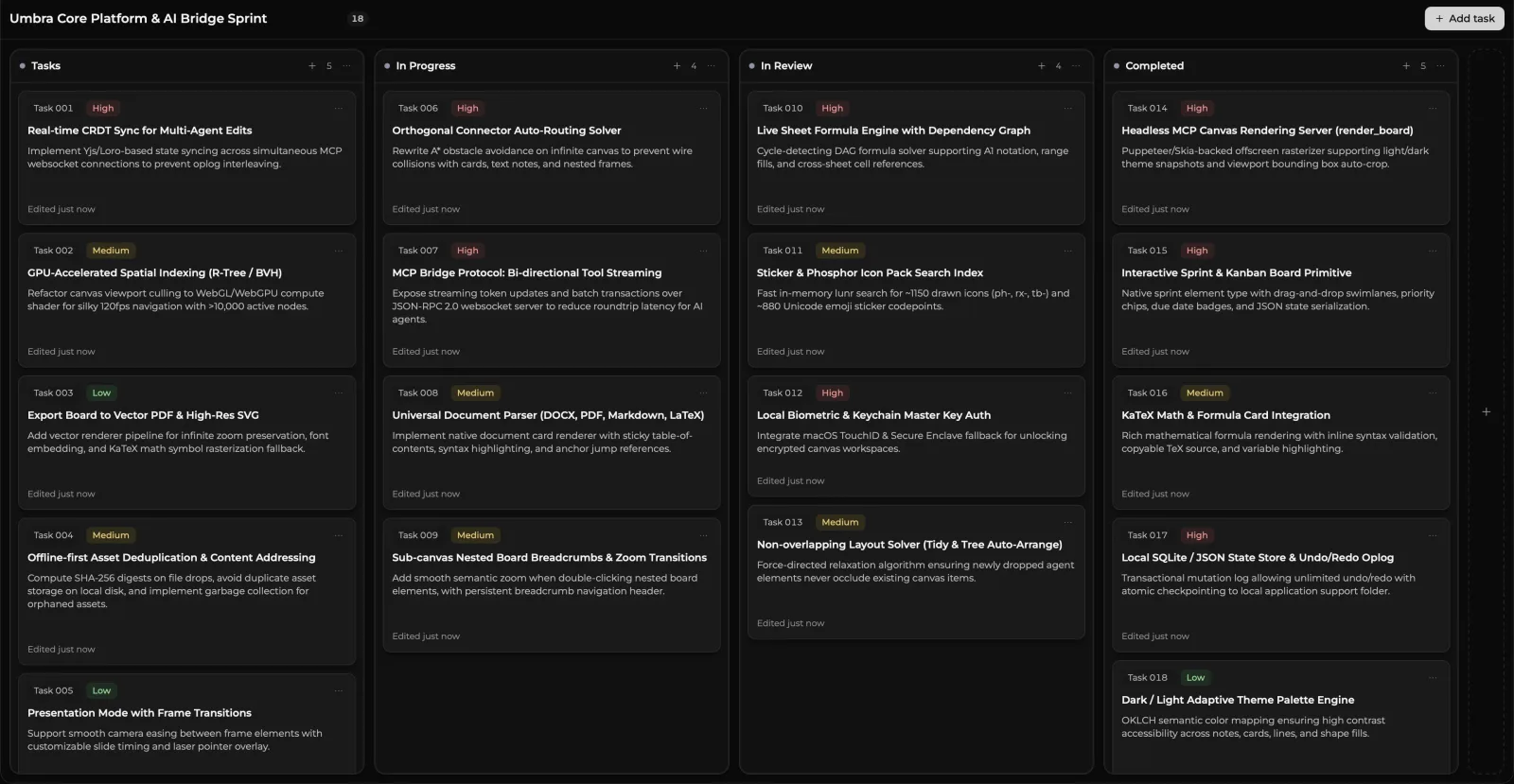
Card Status & Movement
Moving a card into any column automatically updates its status to match that column. Simply drag a card into a new stage—such as from To Do to In Progress or Done—and its workflow status updates immediately. You can also move cards using keyboard shortcuts or by directing your AI assistant.
What a card carries
Status, assignee, due date, estimate and blockers. Edit them from the right-click menu.
Columns and lanes
- WIP limits live on a column and show as
2/3in its header. A backlog and a done pile are meant to be unbounded; the middle is where limiting work changes how a team behaves, so that is where the limit belongs. - Swimlanes are horizontal bands. They are tested on the vertical axis only, which is what lets a full-width lane and a column overlap.
My Work
My Work aggregates your assigned tasks from across all your boards into one unified personal view, giving you an instant summary of what needs your attention today.