Blocks, Widgets & Elements
Everything on the canvas — core writing cards, productivity widgets, generative elements, and diagrams.
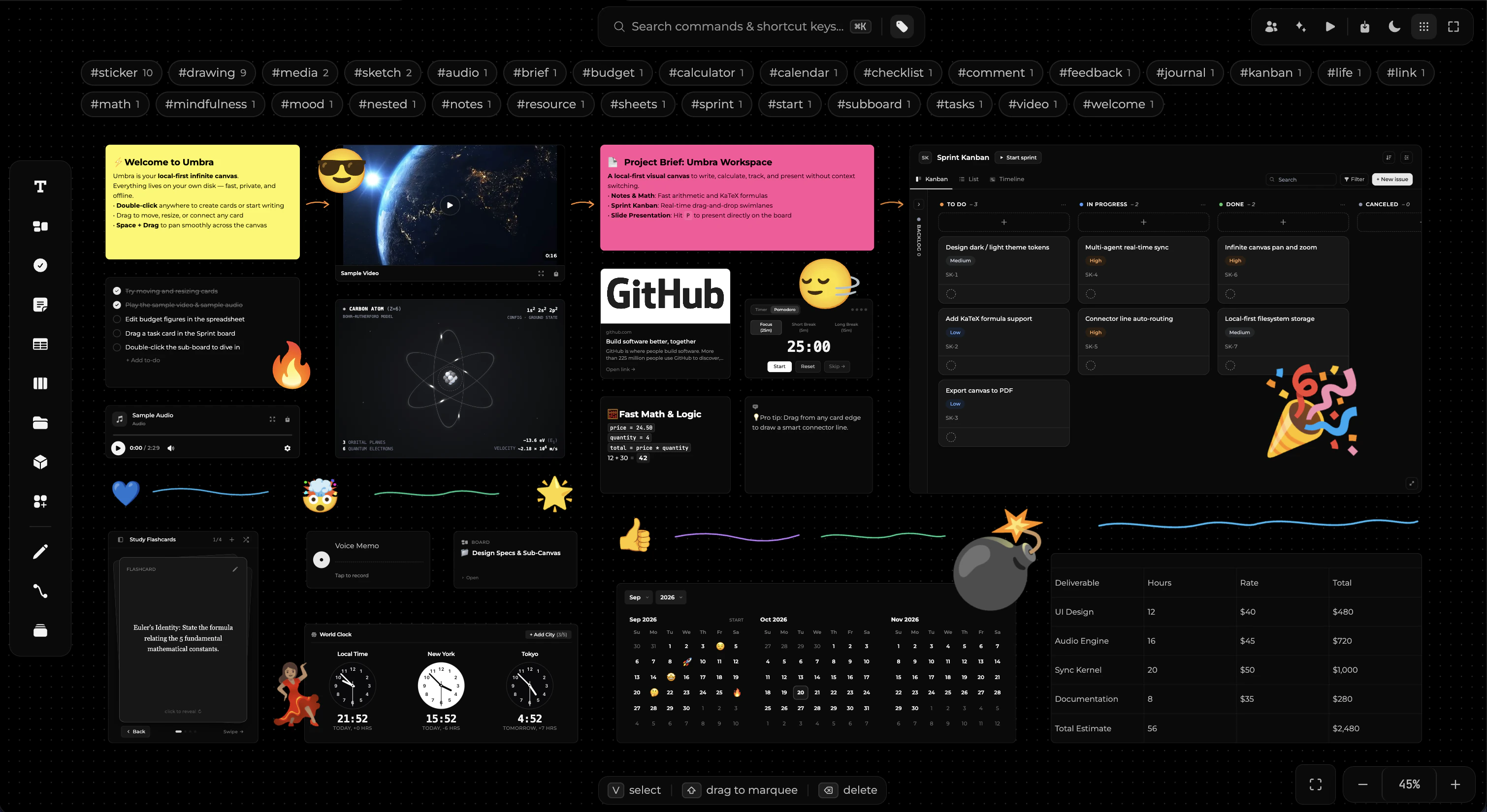
Everything in Umbra is an element on the infinite canvas. Drag any block directly from the left toolbar, double-click anywhere on the canvas background to place a note, or press keyboard shortcuts to spawn widgets and tools.
Core Blocks
The primary building blocks of your workspace, accessible directly on the main toolbar.
| Block | Shortcut | What it is for |
|---|---|---|
| Note | N | Clean writing card. Live markdown as you type, and real-time arithmetic that computes. |
| Document | — | A full-page word processor document formatted as an A4 page — see Documents. |
| To-do | F | Interactive checklist with tick boxes. Press Enter to spawn the next item. |
| Table | G | Full spreadsheet workbook — compact summary card on the canvas, opens to a full grid. |
| Board | B | Nested sub-canvas. Double-click to dive in, use the top breadcrumb to navigate back. |
| Column | — | Titled container region. Cards inside it inherit its status — the core kanban primitive. |
| Sprint | — | A self-contained agile sprint board in a single block, with customizable columns, points, and task cards. |
| Calendar | — | Interactive month, week, and daily planner with mood logs, reminders, and journal entries. |
| Access | — | Link a local folder or codebase directly to your canvas with live file watching, drag-and-drop, and read/write security — see Folder Access. |
| Text | T | A borderless typographic label for board titles, headers, and section callouts. |
| File | — | Upload any document. PDFs open in the integrated PDF reader; video and audio play inline. |
| Image | — | Drag-and-drop photographs, diagrams, and illustrations directly onto the board. |
| Code | — | Formatted code snippets with multi-language syntax highlighting and one-click copy. |
| Equation | — | Formatted LaTeX and KaTeX mathematical formulas with inline live typesetting. |
| Frame | P | Camera presentation slide target. Invisible during normal work, active in Slides mode. |
| Connector | C | Smart directional lines between blocks that automatically route and follow cards when moved. |
| Drawing | D | Smooth freehand vector ink for sketching, diagramming, and annotations. |
Widgets (W)
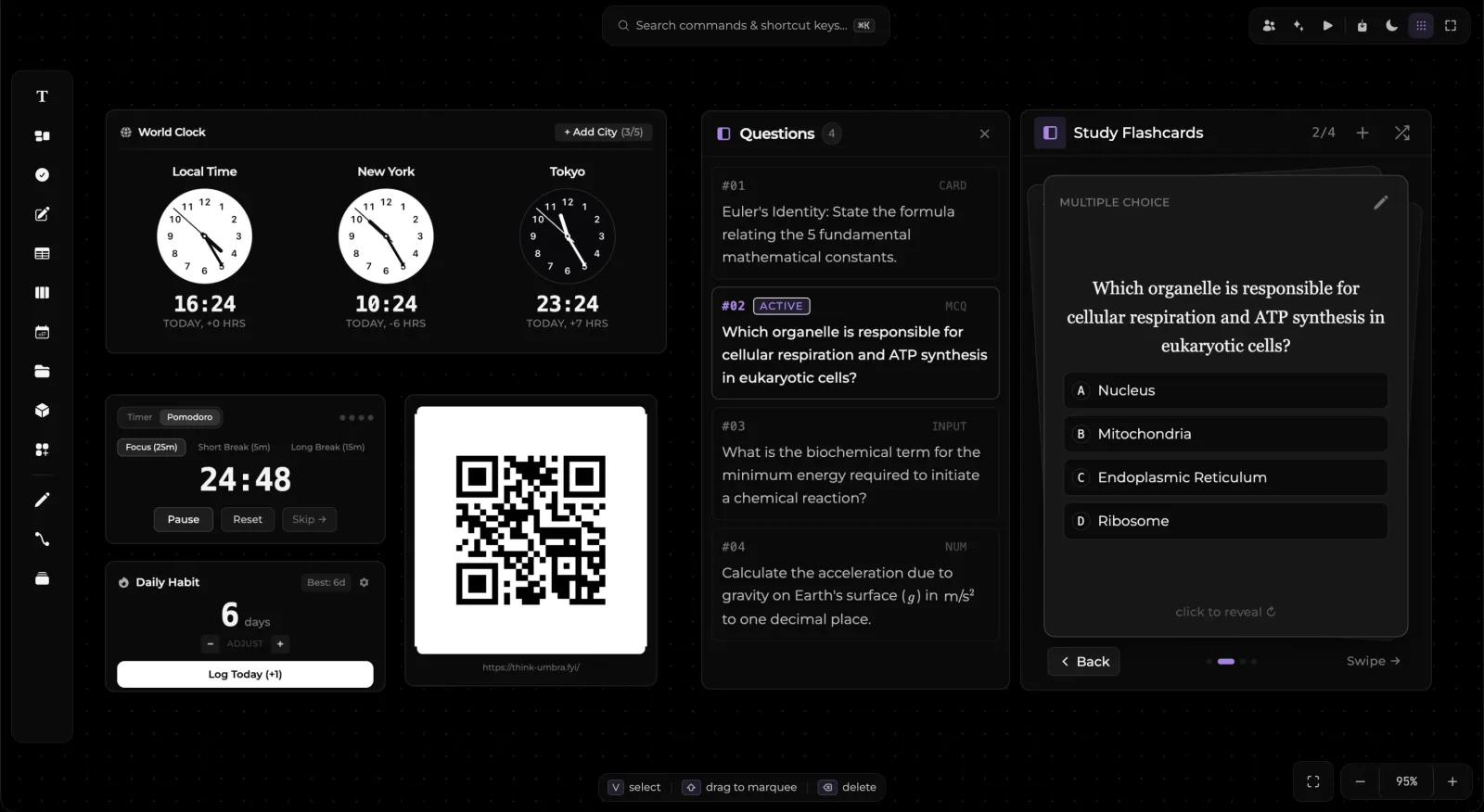
Press W or click the Widgets button on the toolbar to open the iOS-style productivity widgets drawer. Widgets add active, dynamic capabilities to your canvas.
1. Flash Cards
Interactive study decks designed for rapid recall and active learning:
- 3D Card Flip: Click or swipe to reveal answers with 3D perspective animations.
- Multiple Question Types: Multiple choice (MCQ), fill-in-the-blank, open numerical answers with units, and conceptual QA.
- Math & Science Notation: Full LaTeX and scientific equations (such as Euler's formula or chemical pathways) typeset directly on card faces.
- Questions Drawer: Expandable question index tracking card status (
#01 ACTIVE, review count, and card progress).
2. Focus & Pomodoro Timer
Customizable countdown timer and stopwatch for deep work sessions:
- Interval Modes: 25-minute Deep Focus, 5-minute Short Break, and 15-minute Long Break presets.
- Visual Progress: Real-time circular progress ring displaying elapsed time at a glance.
- State Guarantee: Runs in-memory so reopening a closed board never shows a stale, expired countdown.
3. Streak Counter
Daily habit and consistency tracker right on your canvas:
- Daily Increments: Quick
+1 Log Todaybutton to record completed habits without breaking flow. - Streak Indicators: Displays total consecutive active days with milestone badges and fire icons.
- System Integration: Optional notifications to remind you to log daily goals.
4. World Clock
Real-time global clock displaying current times across major international hubs:
- Multi-City Display: Simultaneously monitor up to 5 global timezones (e.g., Cupertino, London, Tokyo, Berlin, New York).
- Analog & Digital: High-precision analog clock faces with live digital readouts and UTC offset indicators.
5. Voice Memo
Capture audio thoughts, meeting snippets, and lectures directly into your boards:
- Canvas Recording: Dedicated waveform visualizer while recording.
- Local Audio Storage: Audio recordings are safely saved to your workspace for instant playback.
- On-Demand Transcription: Transcribe recorded audio into a separate markdown note beside the audio block.
6. Web Bookmark
Save web pages and research references as rich interactive cards:
- Metadata Fetching: Automatically extracts page titles, descriptions, and site favicons.
- Quick Links: One-click opening in your default browser.
Elements & Generative Canvas (S)
Press S or click the Elements button to open the shape and generative element palette.
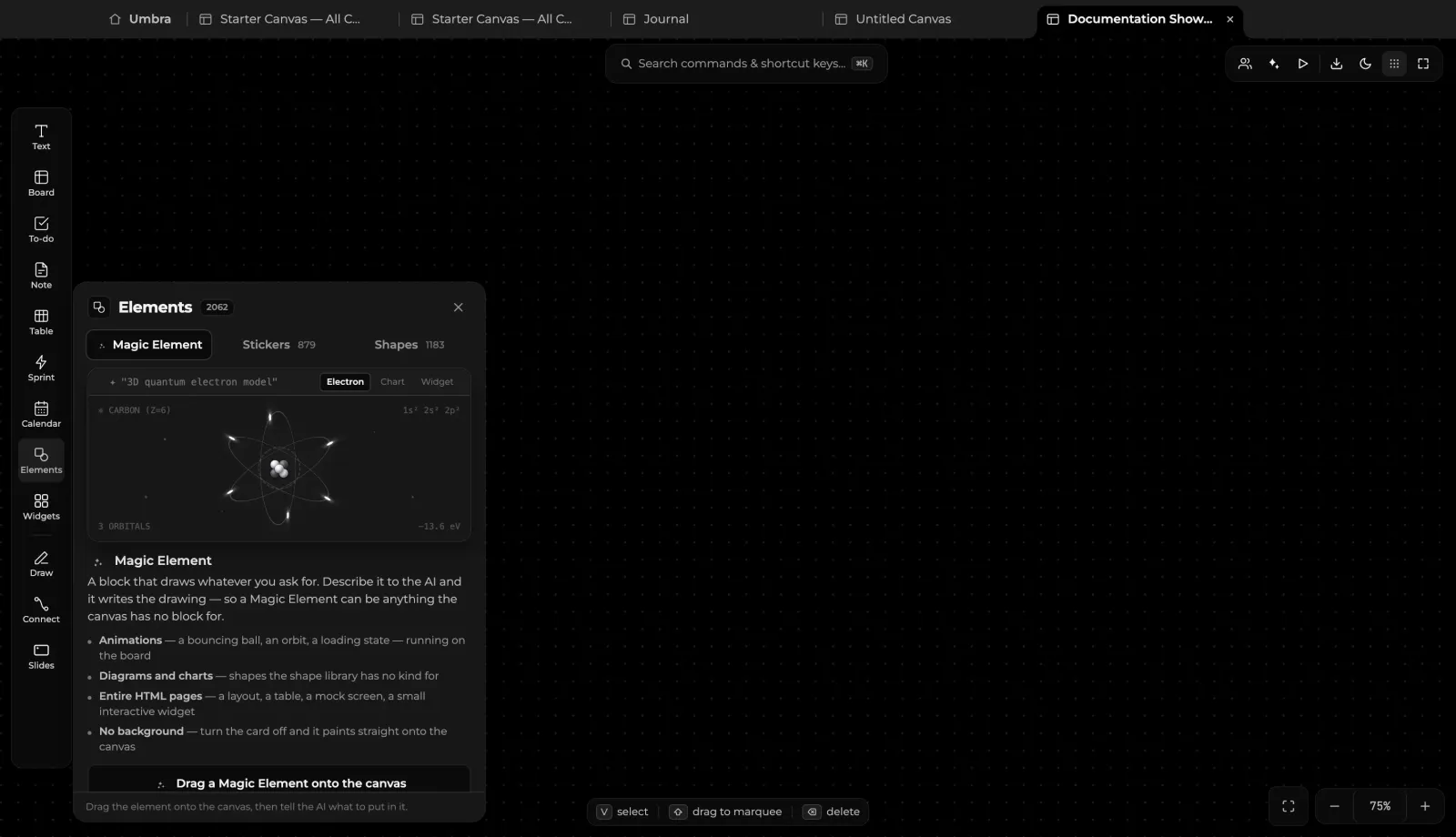
1. Magic Element (live)
The Magic Element renders live, dynamic graphics and simulations generated on demand:
- Kinetic Physics: Interactive orbital simulations, particle systems, and vector physics models.
- Live Telemetry & Spline Charts: Real-time plotted analytical graphs and responsive visual charts.
- Interactive Component UI: Custom mini-applications, interactive widgets, and generative visual tools running smoothly on your board.
2. Stickers Library
A curated catalog of thousands of scalable vector Noto emoji illustrations:
- Categories: Smileys, Gestures, Animals, Food & Drink, Travel & Places, Objects, Symbols, and Flags.
- Drag-to-Canvas: Effortlessly drag stickers directly onto notes, cards, and diagrams to visually tag and highlight ideas.
3. Shape Catalog
Precision vector geometry for architecture diagrams, user journey flows, and mind maps:
- Geometry Kinds: Rectangles, rounded boxes, pills, diamonds, circles, ellipses, triangles, stars, pentagons, hexagons, and custom arrows.
- Typography & Formatting: Double-click any shape to type formatted labels directly inside the boundary. Custom stroke styles, fills, and corner radii.
Research & Deep Study Blocks
Umbra bridges unstructured spatial thinking with rigorous academic and scientific research.
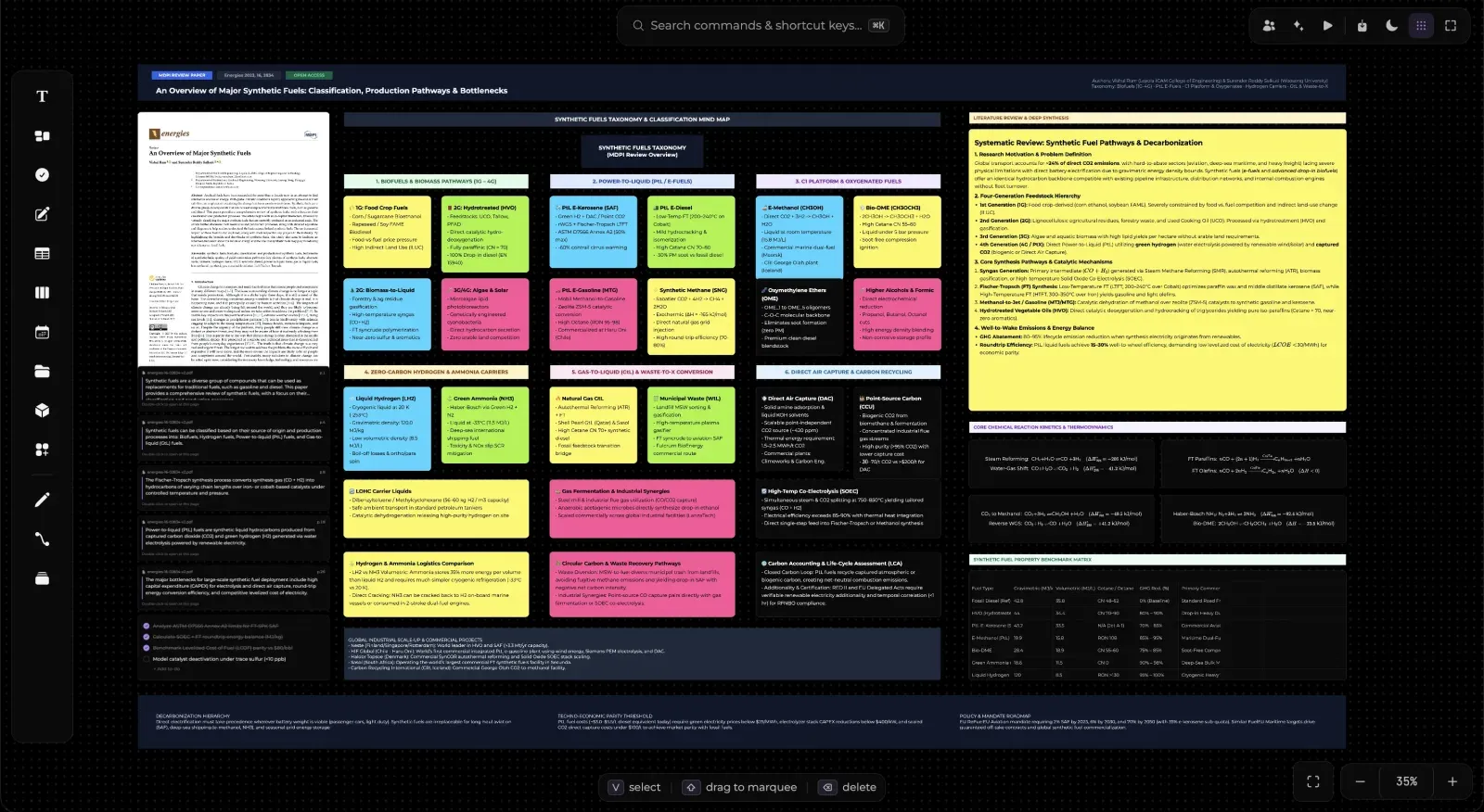
- PDF Deep Link Pointers: Highlight quotes and figures inside uploaded PDFs to spawn linked cards that jump directly back to that specific page upon click.
- Fast Math & Calculation: Type mathematical operations directly in notes (
price = 24.50,quantity = 4,total = price * quantity) and watch them compute live. - Chemical & Physical Systems: Combine diagrams, KaTeX formulas, and live simulations on one cohesive workspace.
Moving, Arranging & Grouping
- Grab & Drag: Grab any block by its surface (outside text editing fields) to freely reposition it.
- Smart Stacking: Dragging a block over another brings it to the front of its z-index band. Columns and kanban containers automatically remain behind cards.
- Multi-Selection: Drag a selection marquee or hold
⌘(orCtrlon Windows) while clicking multiple elements. - Grouping (
⌘G): Group multiple selected blocks into a unified bounding box. Move the group together or adjust spacing between elements. Ungroup anytime with⌘⇧G. - Layering: Press
[to send a block backward and]to bring it forward.