AI Assistant
Drive local coding and reasoning agents directly on your canvas.
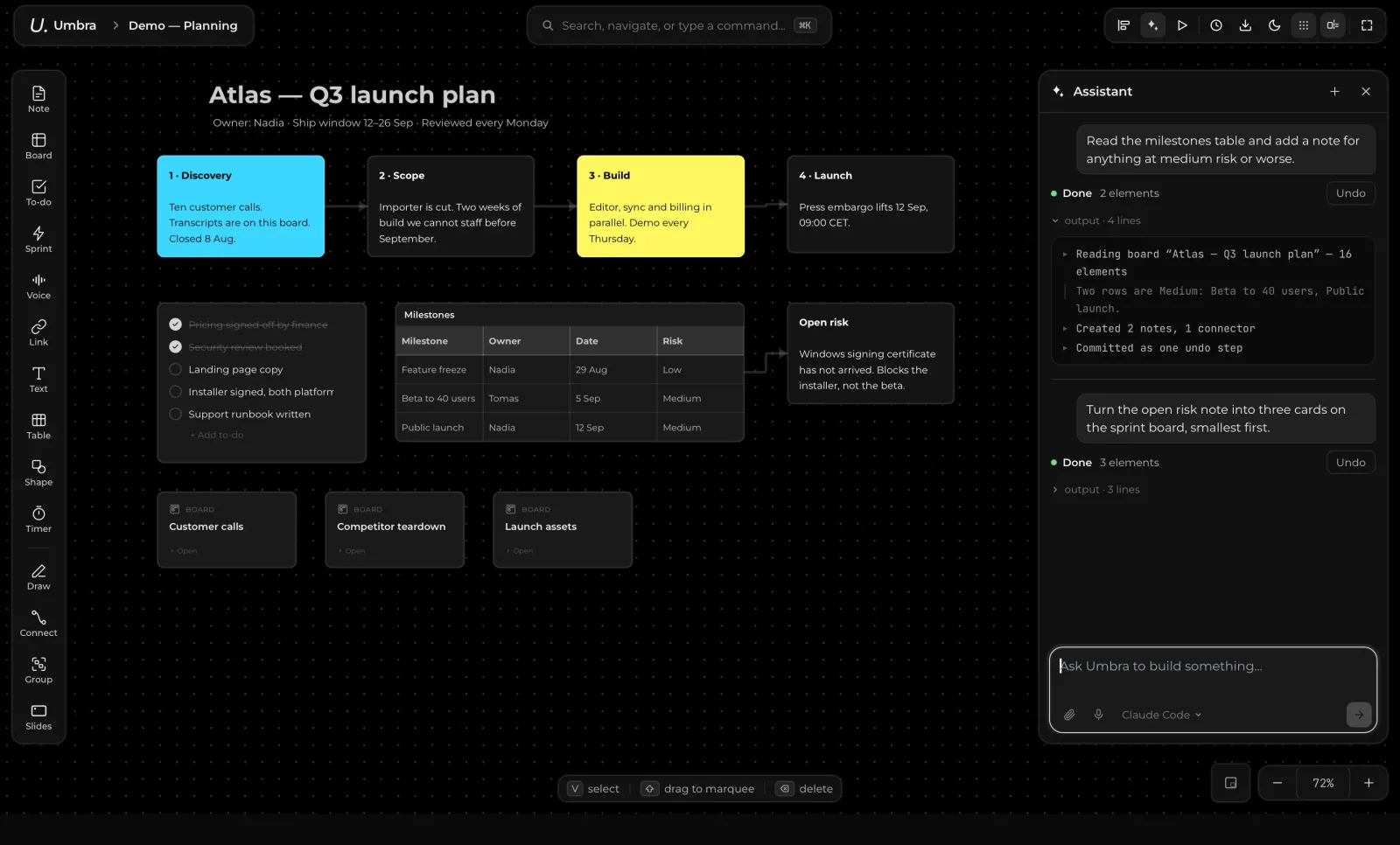
Umbra connects directly to the AI coding and reasoning assistants installed on your machine. Describe what you want built or analyzed, and your assistant executes actions directly across your canvas.
Supported Agents
Umbra integrates seamlessly with leading local agent CLIs:
- Claude Code
- Codex
- Gemini CLI
- Cursor
- OpenCode
You can also register custom agent CLIs using umbra add-agent <command>.
Using the Assistant
- Open the Assistant Panel: Press
⌘J(orCtrl+Jon Windows) on any canvas to open the assistant prompt bar. - Create New Canvases: Use Create with AI on the home screen to generate full project boards, mind maps, or study plans from a single description.
- Canvas Operations: Ask your assistant to organize sticky notes, extract action items from meeting notes, calculate financial projections, or build structured sprint plans.
- Instant Undo: Every agent action is registered in your undo history. Press
⌘Zat any time to undo or cancel changes made by your assistant.
Privacy & Security
- Direct Execution: Umbra talks directly to your local CLI on your own machine.
- No Cloud Proxies: Prompts are sent directly from your system to your chosen provider. Umbra never intercepts, logs, or resells your prompts or tokens.