Widgets
Interactive iOS-style widgets for focus, habits, global time, study, and voice notes.
Umbra includes a dedicated drawer of interactive productivity widgets that live directly on your infinite canvas. Unlike static cards, widgets carry live internal state, real-time counters, audio hardware access, and interactive gestures.
Press W on your keyboard or select Widgets on the left toolbar to open the picker.
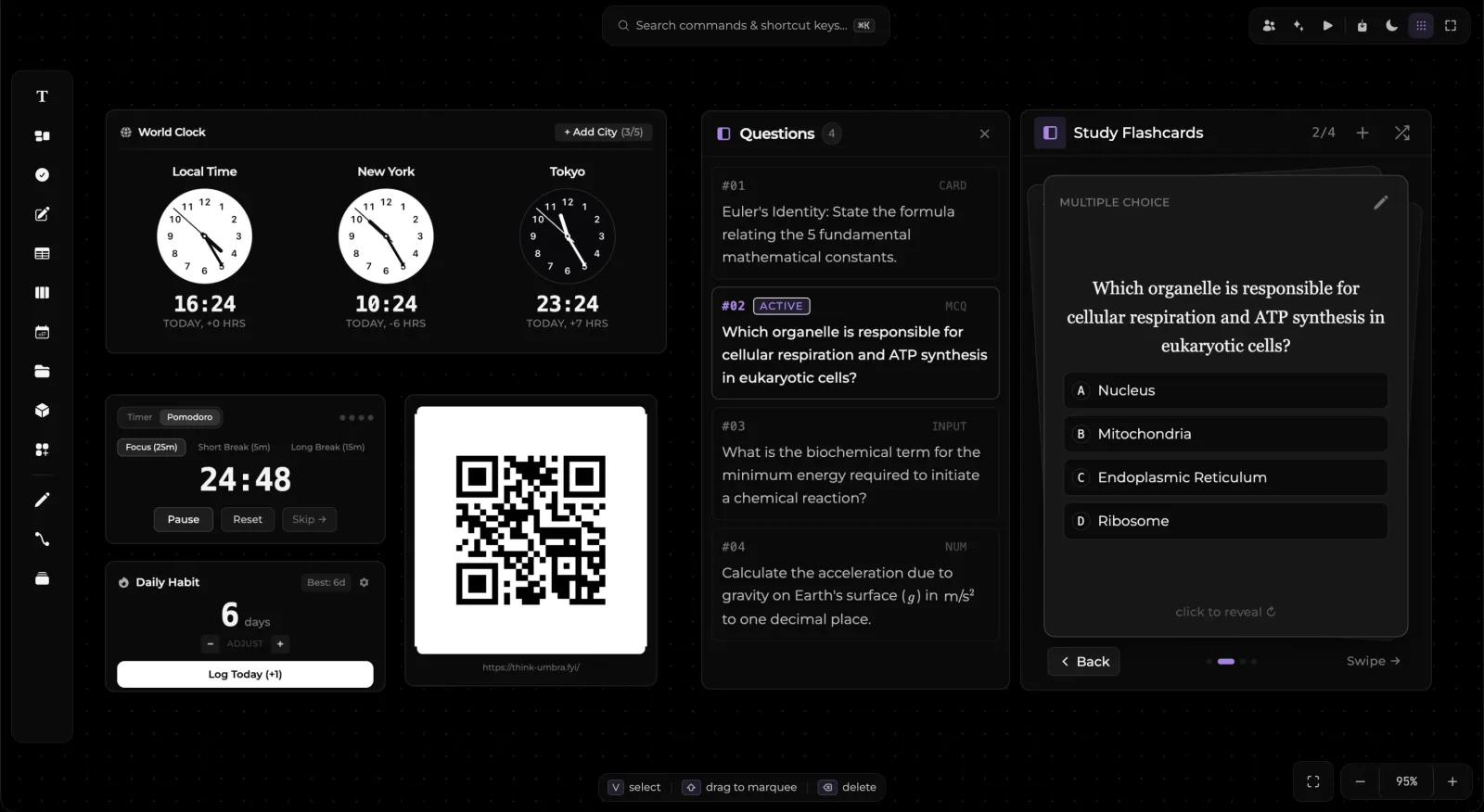
Available Widgets
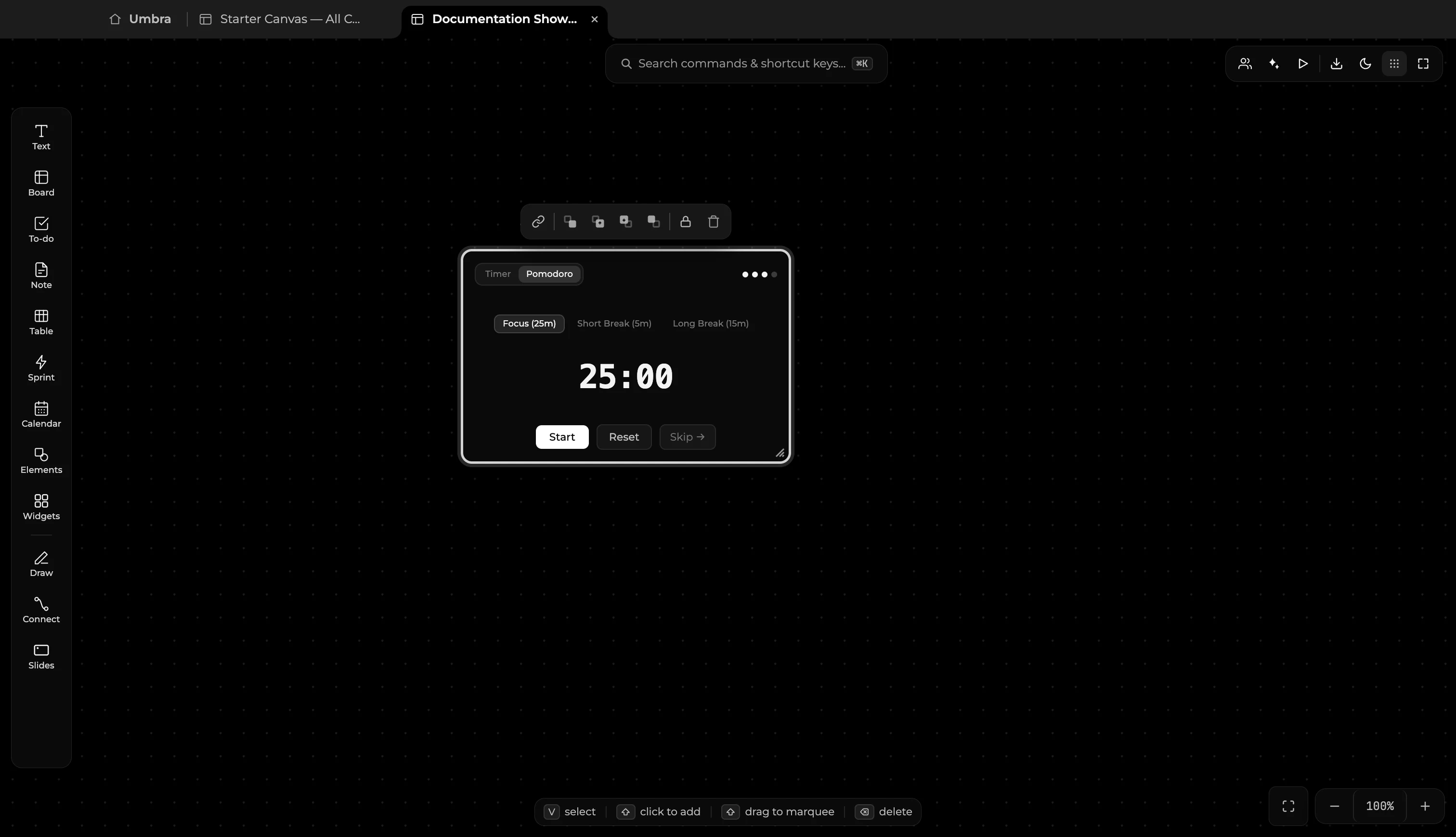
Focus & Pomodoro Timer
A precision timer and stopwatch for deep work sessions and timed intervals:
- Three Modes:
Focus(25-minute default for deep work sprints)Short Break(5-minute rest interval)Long Break(15-minute recovery interval)
- Visual Circular Progress: High-contrast SVG countdown ring showing elapsed time at a glance.
- Quick Controls: Instant
Start,Reset, andSkipactions directly on the card face. - In-Memory Lifespan: The timer runs in-memory: if you close a board and reopen it hours later, it will not pretend a session has been counting down in the background.
Flash Cards
An interactive study deck designed for students, researchers, and engineers:
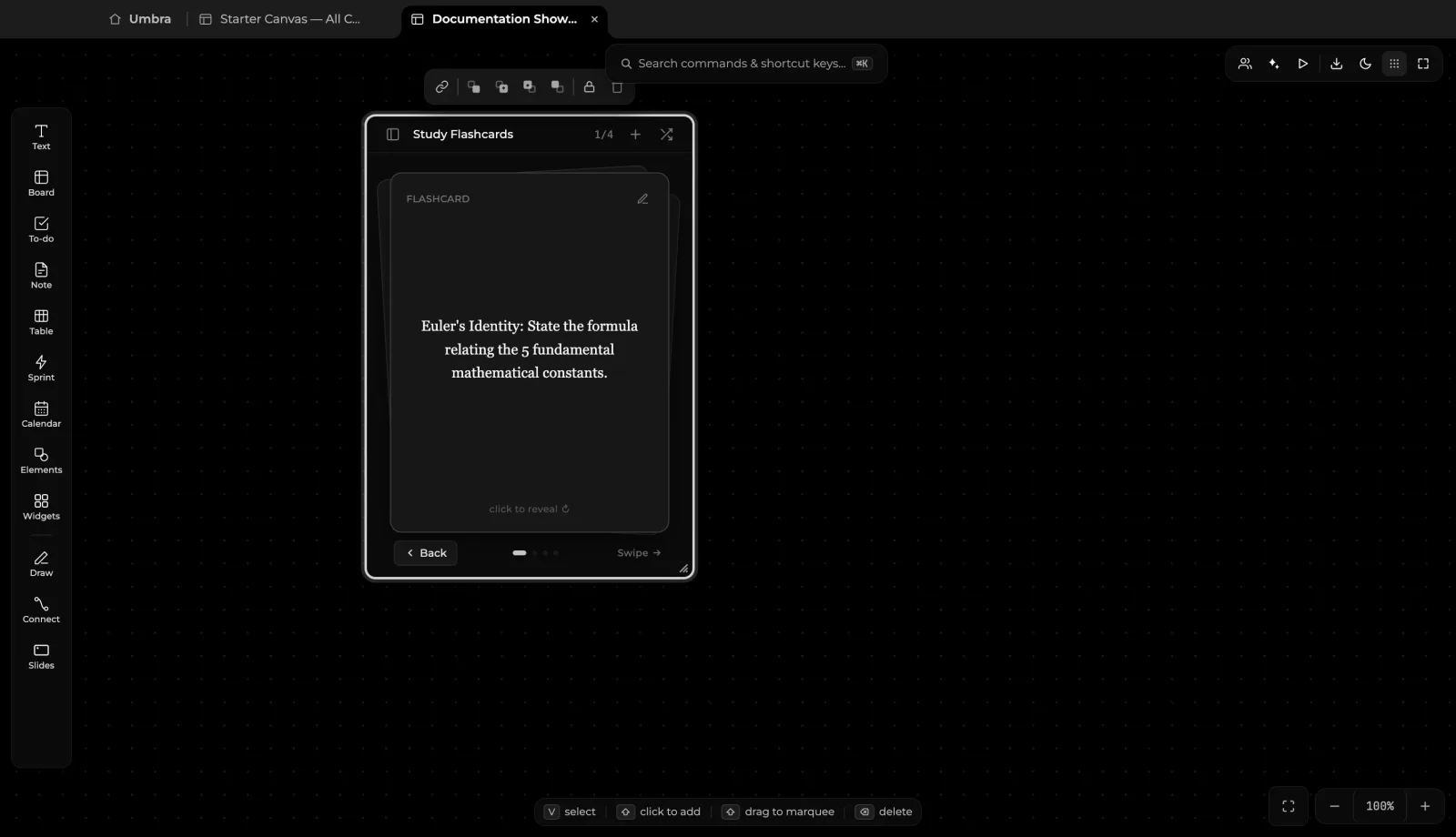
- 3D Card Flip: Click anywhere on the card face to trigger a smooth 3D flip animation revealing the answer or formula.
- Multi-Format Questions:
- Flashcard: Front prompt, back explanation
- Multiple Choice (MCQ): Selectable options with instant feedback
- Input Prompt: Text answer verification
- Numerical Calculation: Units and numerical tolerances
- Math & LaTeX Support: Full support for KaTeX equations and scientific formulas on both question and answer faces (e.g. Euler's identity or kinematics).
- Questions Drawer: An expandable side drawer listing all cards in the deck, highlighting active cards, and allowing rapid card creation.
Streak Counter
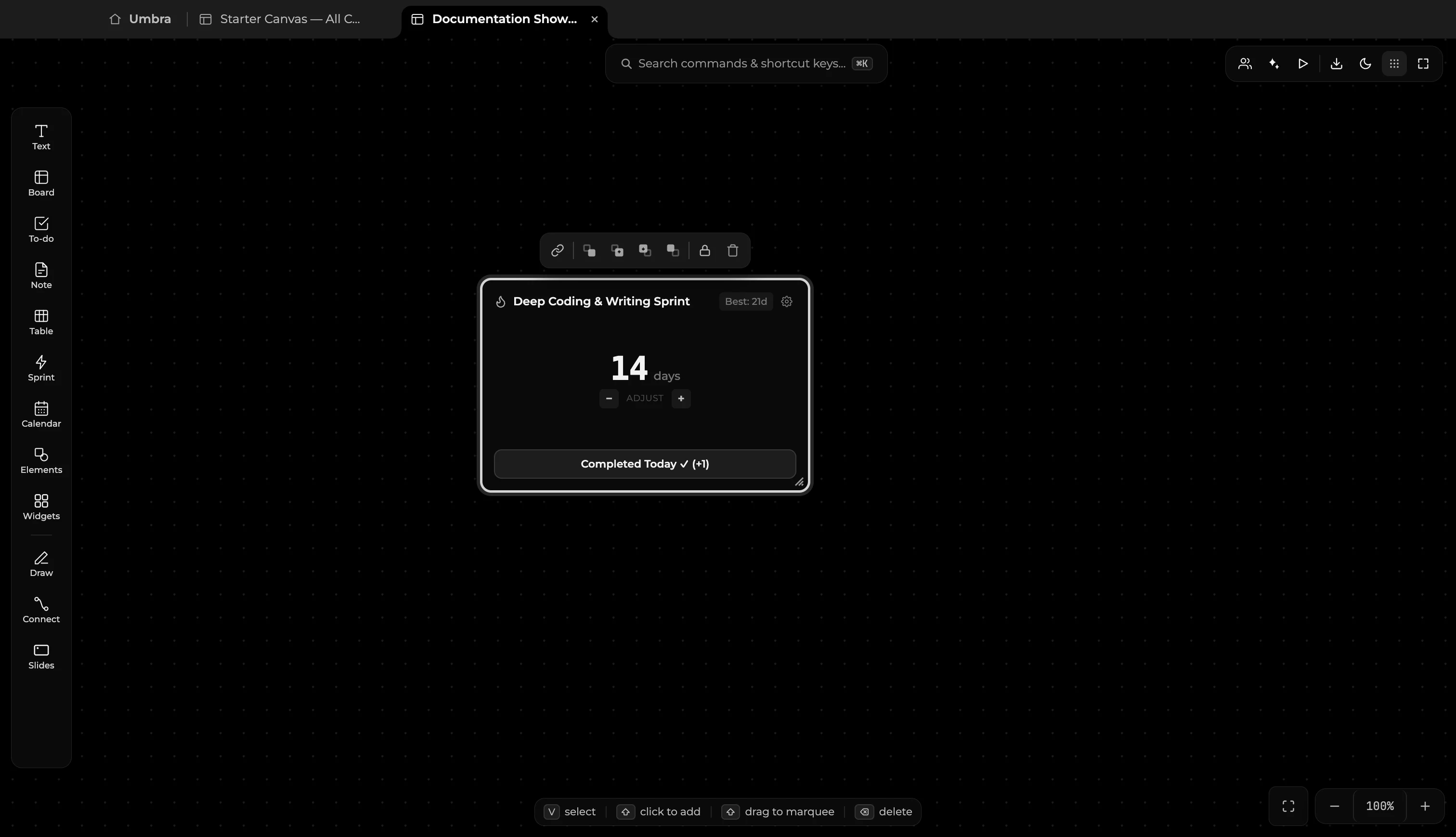
Track daily habits, writing routines, and project consistency:
- Daily Log Button: Tap
Completed Today ✓ (+1)to increment your active streak without opening another app. - Visual Motivation: Highlighting current active streak days with celebratory fire badges, best streak records, and milestone indicators.
- Persistence: Your streak history is saved directly on your device and updates seamlessly with each check-in.
- Custom Habit Titles: Click the title field to customize your goal (e.g., Deep Coding & Writing Sprint).
World Clock
Keep tabs on distributed teammates, global markets, and remote clients:
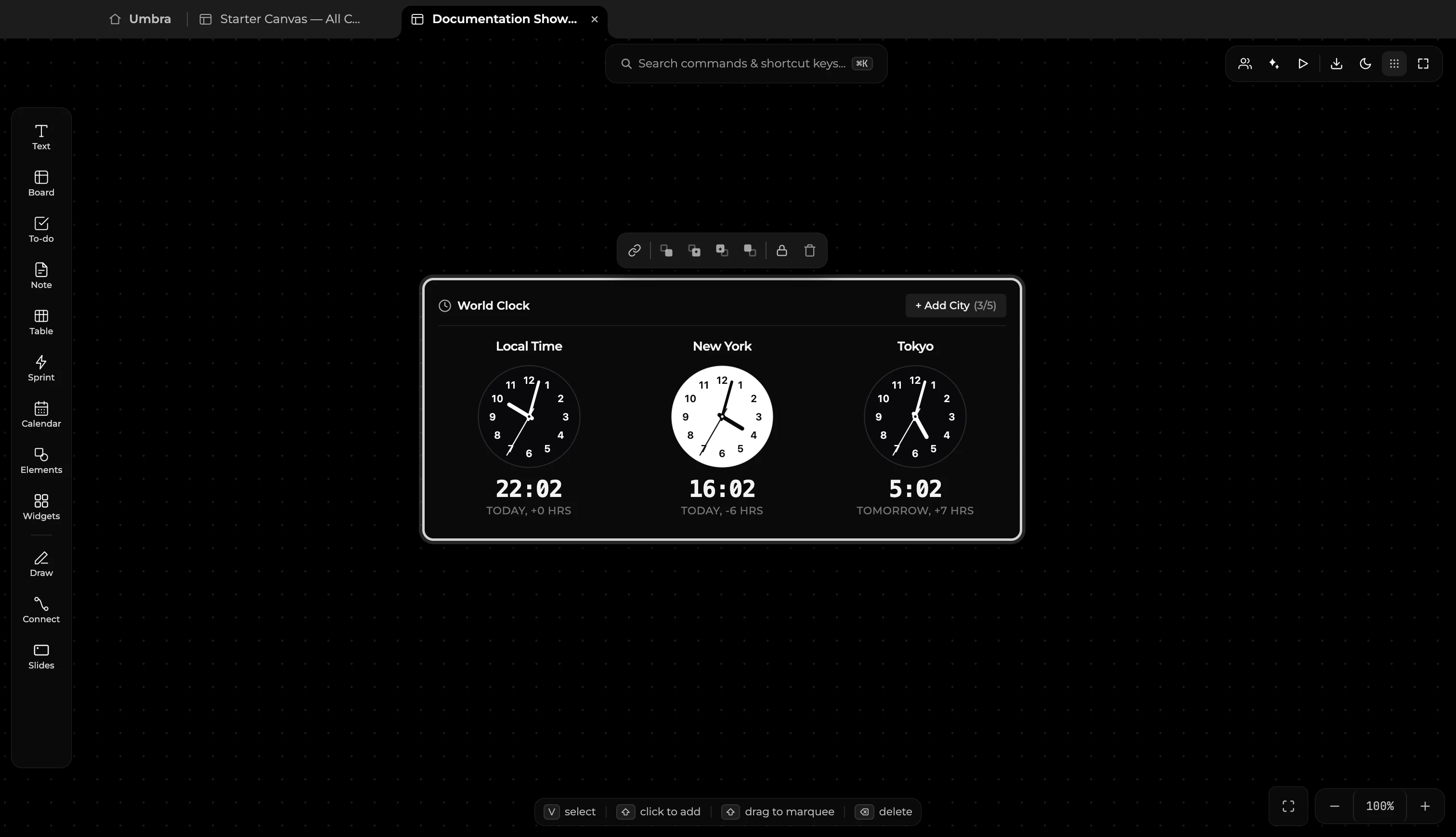
- Multi-City Tracking: Display up to 5 global cities on a single compact card (e.g., Cupertino, London, Tokyo, Berlin, Sydney).
- Analog & Digital Display: Crisp SVG analog clock faces with live second movements, 12/24-hour digital readouts, and day/night contrast themes.
- UTC Offsets: Shows exact relative hourly differences and day shifts from your current local timezone.
- Add Cities (
+ Add City): Seamlessly append new timezones from major global financial hubs and regional capitals.
Voice Memo
Record spontaneous audio thoughts, discussions, and meeting notes:
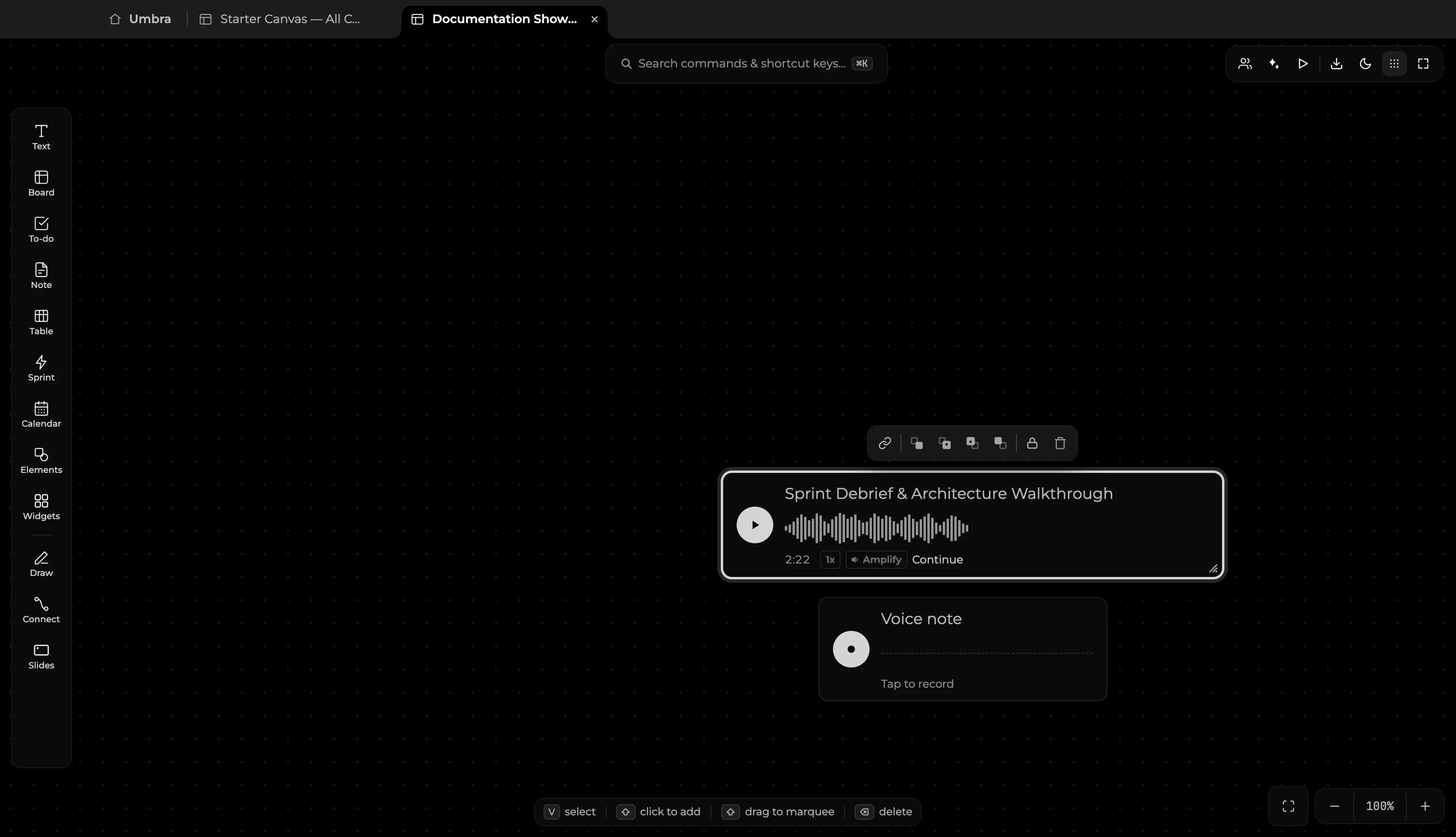
- One-Tap Recording: Click the microphone icon to begin recording directly to local disk.
- Waveform Visualizer: Live audio waveform visualization indicating audio input levels and playback position.
- Local Audio Storage: Audio recordings are saved safely to your board for instant offline playback.
- Playback Controls: Adjust playback speed (
1x,1.5x,2x) or toggle volume amplification for quiet audio. - On-Demand Transcription: Convert recorded voice memos into readable markdown notes placed right beside the recording.
Web Bookmark
Rich URL bookmarks that fetch and display live web metadata:
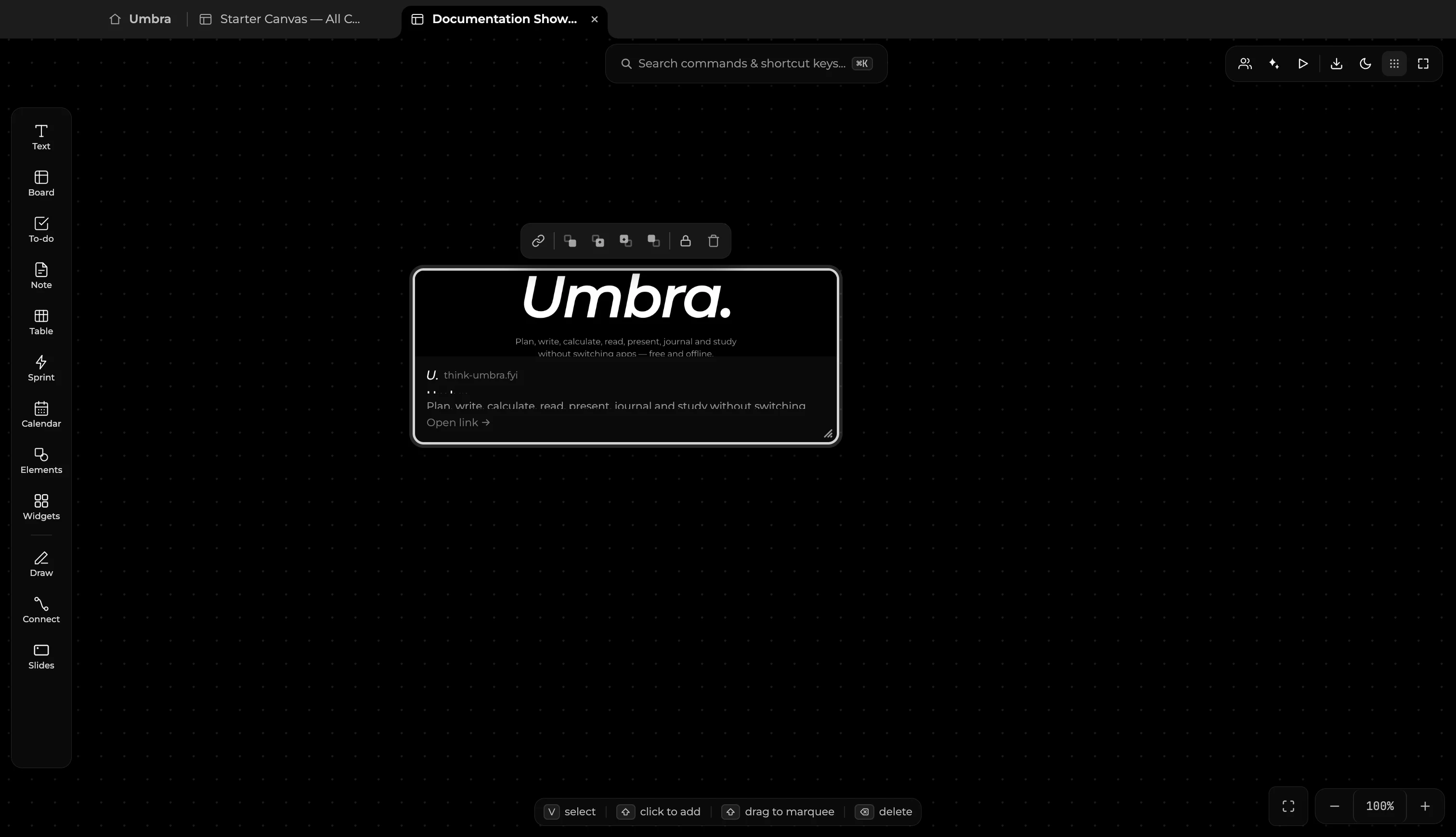
- Automatic Metadata Extraction: Paste any URL (such as
https://think-umbra.fyi/) to instantly fetch page titles, OpenGraph hero banners, descriptions, and site favicons. - Interactive Card Layout: Cleanly showcases domain hostnames, page summaries, and direct external link actions.
- Direct Navigation: Click
Open link →or double-click to launch the target web page in your default browser.
QR Code
Generate scannable QR codes for web links, mobile hand-offs, and rapid sharing:
- Instant Generation: Paste any website URL (such as
https://think-umbra.fyi/), repository link, or text string to render an instant, high-contrast QR code directly on your canvas. - Mobile Access: Scan directly off your monitor or presentation frame using any smartphone camera.
- Direct Navigation: Click the destination URL below the code to open the link in your default browser.
Adding Widgets to your Board
- Press
Won any board to toggle the Widgets panel. - Drag any widget tile out of the panel directly onto the canvas where you want it placed.
- The panel stays open so you can place multiple widgets in a single session.
- Resize any widget by dragging its corner handles, or move it anywhere across your workspace.