Calendar & Journal
Time-based planning, daily habit tracking, voice journal logs, and multi-view calendars.
Umbra connects spatial thinking with temporal planning. The Calendar & Journal block embeds time-aware scheduling, daily reflection, and milestone tracking directly into your infinite canvas.
1. The Calendar Block on the Canvas
Click the Calendar tool on the left toolbar to place a self-contained calendar card anywhere across your boards:
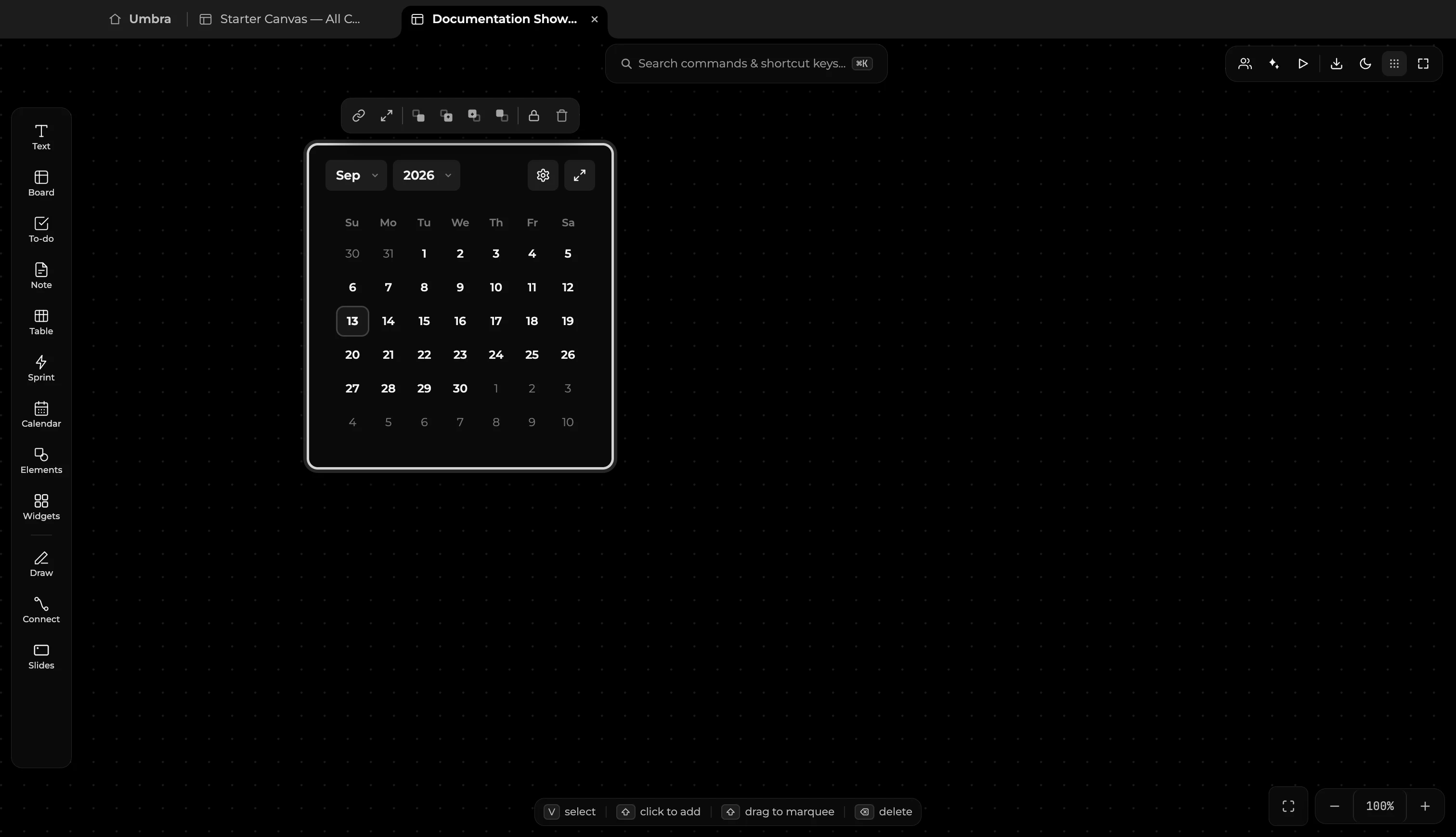
- Spatial Placement: Position the calendar block near active sprints, research notes, or design specs to ground your tasks in time.
- Month & Year Selectors: Quickly jump across past and future months using the header select menus.
- Current Day Indicator: Today's date is prominently highlighted with high-contrast badge styling.
- Card Expansion: Click the expand icon (
⤢) or double-click the header bar to open the full-screen planning surface.
2. Full-Screen Planning & Journal Workspace
Expanding the calendar opens the comprehensive multi-view schedule and journaling workspace:
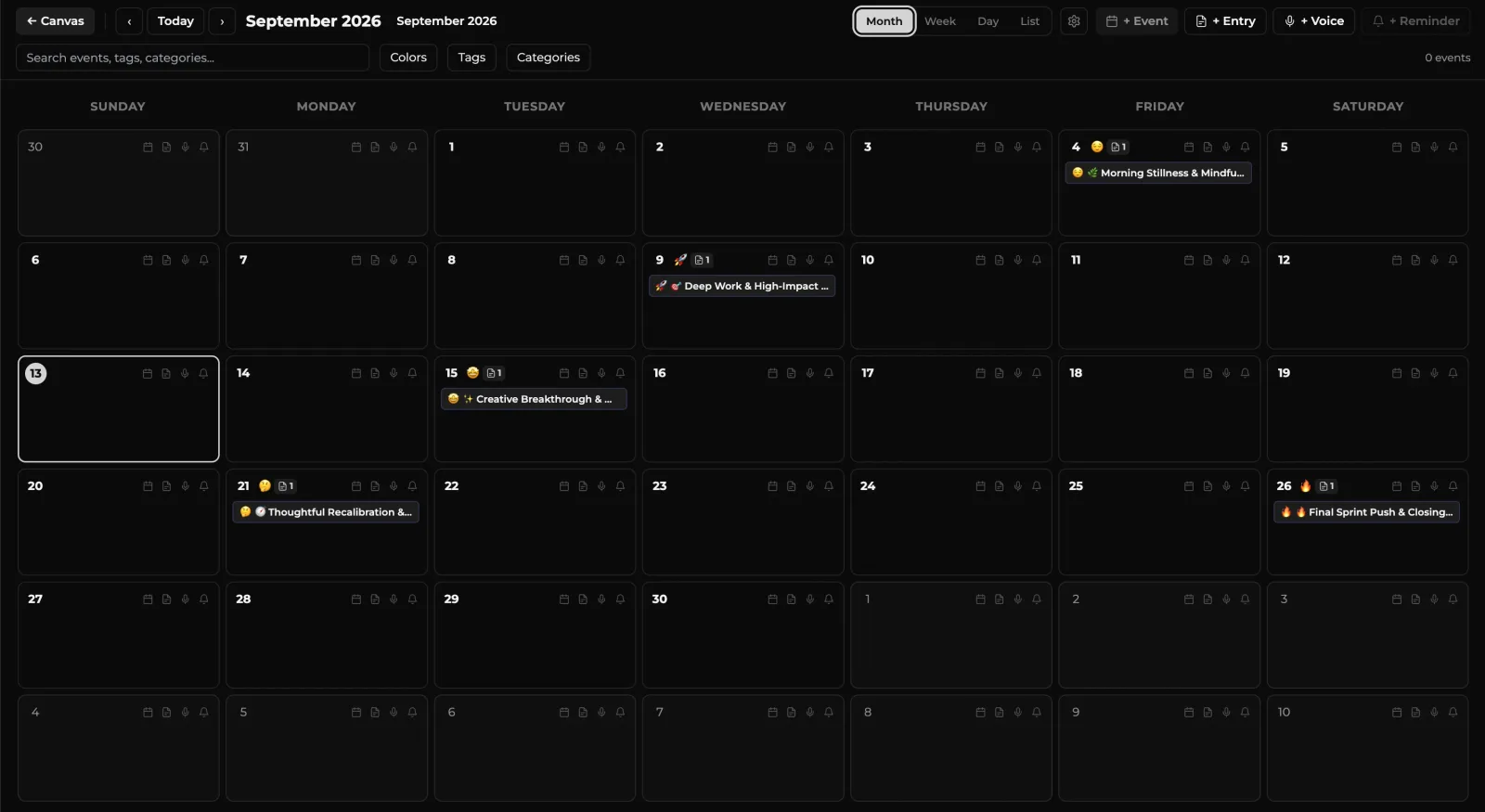
- Four Timeline Views:
- Month Grid: High-level visual layout displaying event dots, mood reflections, and habit streaks across the entire month.
- Week Schedule: Horizontal timeline designed for managing deep-work sessions, meetings, and project milestones.
- Day View: Focused hourly timetable for day-to-day execution and time blocking.
- List Agenda: Compact chronological list of all upcoming deliverables, deadlines, and logged notes.
- Search & Tag Filters: Filter scheduled items instantly by color, tag, or custom category using the top search bar.
- Top Quick Actions: Rapidly create items using the top toolbar buttons (
+ Event,+ Entry,+ Voice,+ Reminder).
3. Date Entry & Daily Journal Pop-up
Clicking any day cell on the calendar opens the Day Journal & Planning pop-up window:
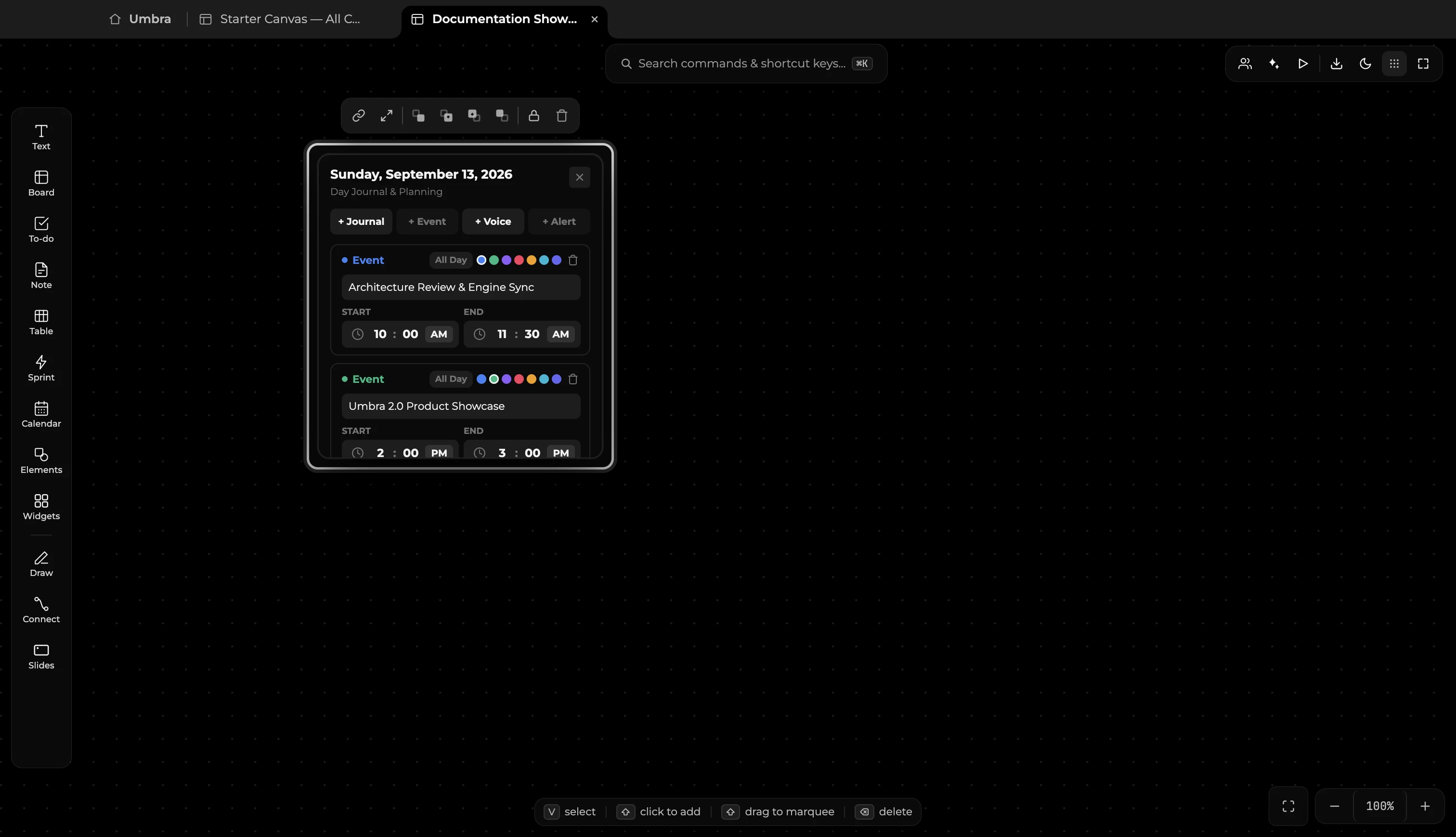
- Scheduled Events: Add events with custom titles, start/end time pickers, and color badges. Toggle All Day for full-day milestones.
- Daily Reflection & Notes: Log reflections, retrospective takeaways, and team updates with custom tags and emoji mood indicators (
🔥,😊,💡). - Voice Journaling: Record audio memos tied directly to that date for spoken thoughts or lecture highlights.
- Timely Alerts: Set scheduled reminder notifications that alert you at the specified time on your desktop.