Introduction
Umbra is a local-first infinite canvas where teams and individuals plan, track, study, and present — with boards stored as plain files on your own disk.
Umbra is a local-first desktop application for the thinking, planning, and study layer of knowledge work. Ideating, writing, calculating, tracking, studying, and presenting are unified into one seamless visual surface — stored as plain files directly on your own disk.
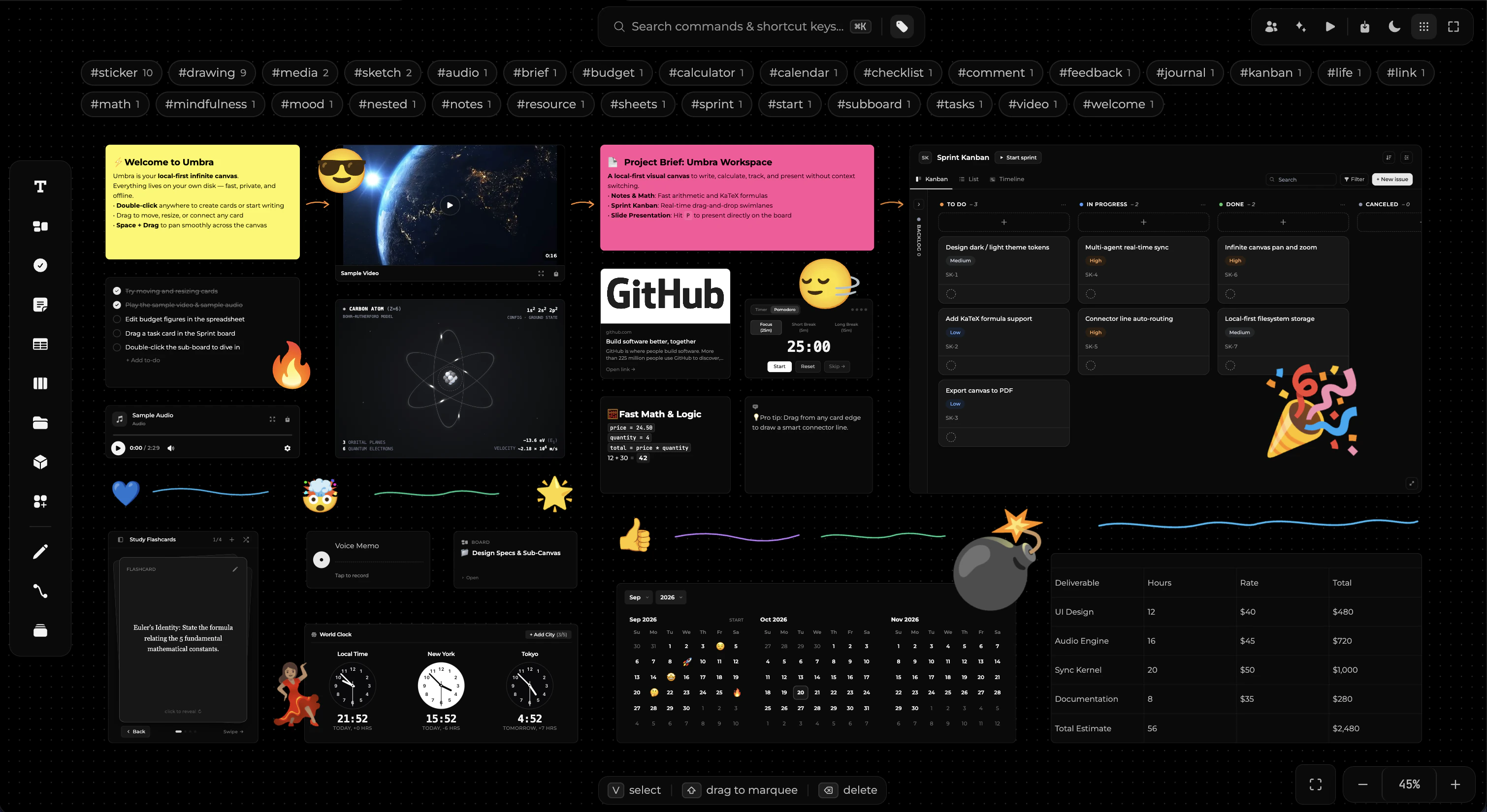
What it is
- An infinite thinking canvas. Notes, documents, spreadsheets, checklists, study flashcard decks, multi-view calendars, world clocks, habit counters, freehand drawing, vector shapes, stickers, connectors, and generative programmable elements — over twenty-five kinds of blocks and widgets, all on the same surface.
- Nested spatial hierarchy. Boards nest cleanly inside boards, allowing high-level project roadmaps to drill down into technical deep dives or sub-canvases with automatic breadcrumb navigation.
- A tactile work model. Cards, kanban columns, and standalone sprint boards. Move tasks across status columns, set estimates, assignees, and priority tags without heavyweight project management overhead.
- Academic & deep study powerhouse. Integrated PDF reader with deep-linking quote pointers, KaTeX mathematical and chemical typesetting, interactive 3D flashcards, and live arithmetic notes.
- A presentation tool. The camera is the deck. Define a camera path through your board frames and present straight from the visual plan you already built.
- Local first & private. All your boards and media are stored directly on your computer. Umbra runs 100% offline, never phones home during use, and functions seamlessly without an internet connection.
What it is not
- Not Figma. No complex vector pen point manipulation or raster photo retouching beyond clean diagramming shapes and stickers.
- Not a closed cloud silo. Your work is never locked behind a proprietary cloud database or subscription server.
- Not an AI reseller. Umbra connects directly to your own local AI CLIs without proxying prompts or marking up tokens.