Documents
The same block, switched to A4 — margins, headers, page numbers and print.
A note has two bodies. The switch in the editor's title bar chooses which one you are looking at, and they never mix: typing in the document does not touch the note, and typing in the note does not appear in the document. They are two documents that travel together on one block.
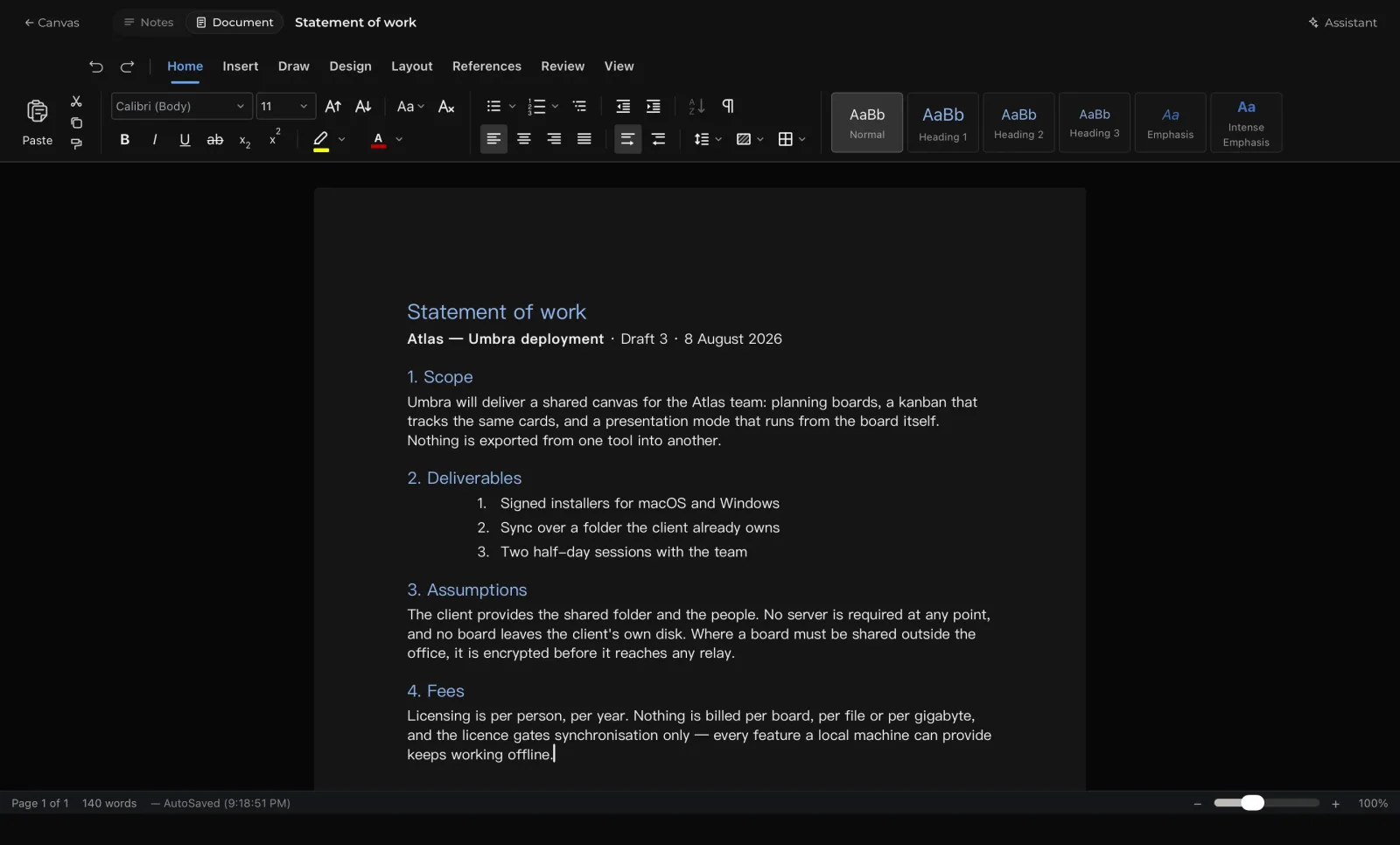
Note & Document Modes
Every note block features two complementary modes:
- Note Surface: A rapid scratchpad for brainstorming, bullet lists, calculations, and rough ideas.
- Document Layout: A paginated A4 word processor designed for formal briefs, proposals, and publications.
Switch between them anytime using the toggle in the editor toolbar. The note scratchpad remains available whenever you need to draft ideas, while the document provides a clean, publication-ready layout.
Page Layout & Formatting
Documents format cleanly to standard A4 dimensions with full typographic styling:
- Page Setup: Configure custom margins, running headers, footers, page numbering, and watermarks visually.
- Table of Contents: Automatically generate an editable table of contents based on your document headings.
- Page Breaks: Insert page breaks to structure distinct sections or chapters.
- Print & PDF Export: Print directly through the system print dialog or export a paginated PDF copy of your document.
Word documents
Drop a .docx on the canvas and Umbra asks whether to keep it as a file or open it in the
editor. Opening it converts the document and does not keep the original — Umbra cannot
write Word files, so that exact file will only exist where you dropped it from. The dialog
says so before you choose.