Blocks
Twenty kinds, all on one canvas.
Everything on a canvas is a block. Drag one out of the left toolbar, or double-click the background for a note.
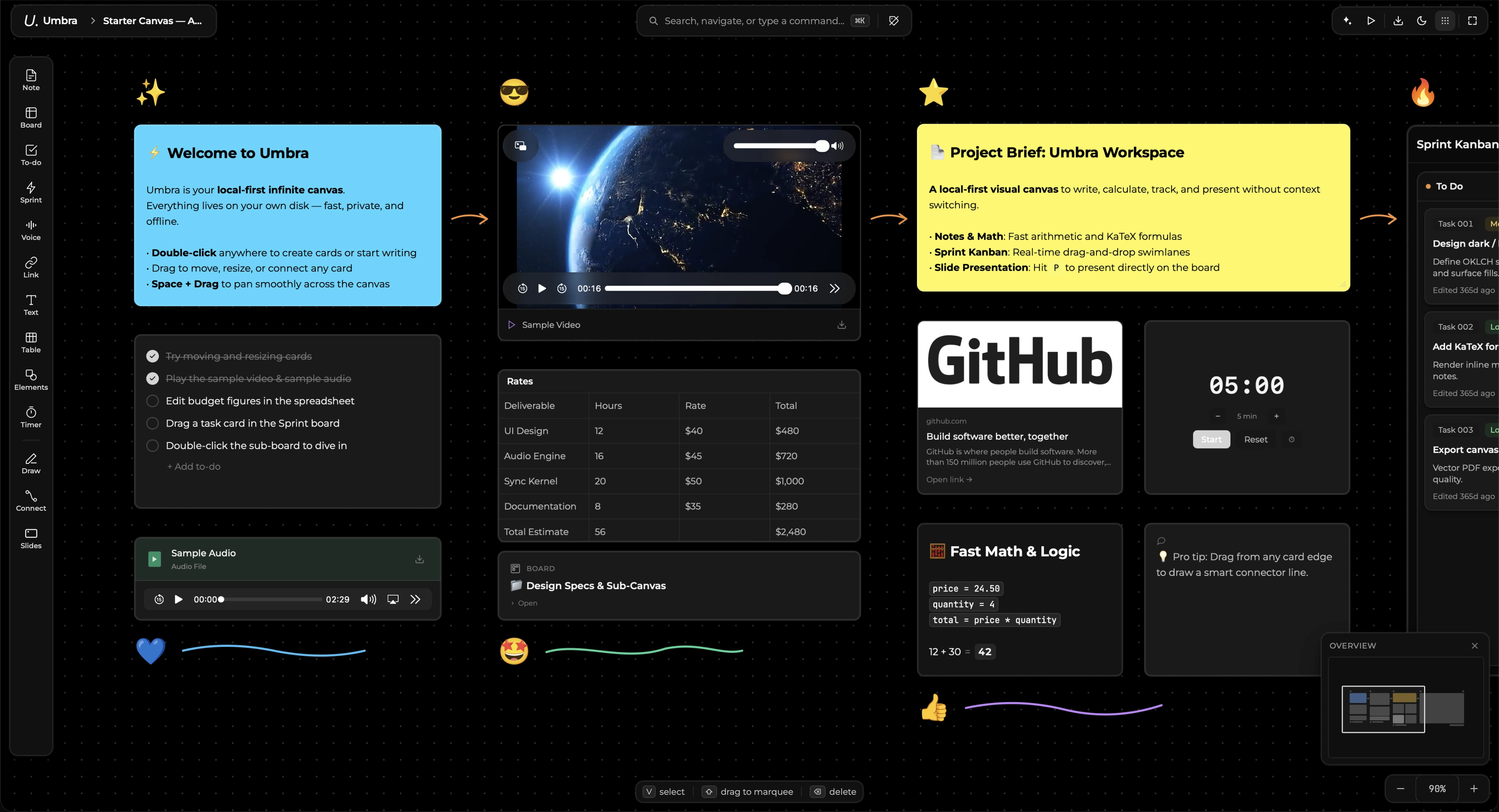
| Block | What it is for |
|---|---|
| Note | Writing. Markdown as you type, and arithmetic that computes |
| Document | The same block as an A4 page — see Documents |
| To-do | A checklist. Tick items, press Enter for the next |
| Table | A spreadsheet — small on the card, full grid when opened |
| Board | A nested canvas. Double-click to go in, breadcrumb to come back |
| Column | A titled region. Cards inside it belong to it — the kanban primitive |
| Sprint | A whole sprint board in one block, with its own columns and tasks |
| Image | Drag one in, or let a template fetch it |
| File | Anything else. PDFs get a reader; video and audio play in place |
| Voice | Record onto the board |
| Link | A URL, with its title and picture fetched |
| Text | A bare label with no card behind it. For titles |
| Shape | Rectangle, ellipse, diamond, triangle, star, line — each carries text |
| Drawing | Freehand ink |
| Connector | A line between two blocks that follows them when they move |
| Timer | Countdown or stopwatch. Deliberately not saved — a canvas that reopened mid-countdown would be lying |
| Frame | A presentation slide. Invisible outside Slides mode |
| QR code | Generated from any text or link |
| Equation | Typeset maths, live or presentational |
| PDF pointer | A quote from a PDF that jumps back to its page |
Moving and arranging
Grab a block anywhere that is not a control. Dragging one over another brings it to the front of its band — columns and swimlanes stay behind their cards on purpose.
Select several with a marquee, or ⌘-click. ⌘G groups a selection: the box around a group can be grabbed by its edge or by the gaps between its members, and moves everything at once.
[ and ] send a block backward and forward.